
T-Ex LLM for Mac Is Now in Beta
T-Ex LLM now has a native Mac app. Install it, sign in, and it connects the coding agents you already have — no CLI or terminal required.
A native app for your Mac
T-Ex LLM now has a Mac app. We built it as an agent-native IDE.
Before, connecting your Mac meant installing the T-Ex LLM CLI and running it in Terminal. Now you just install the app and sign in.
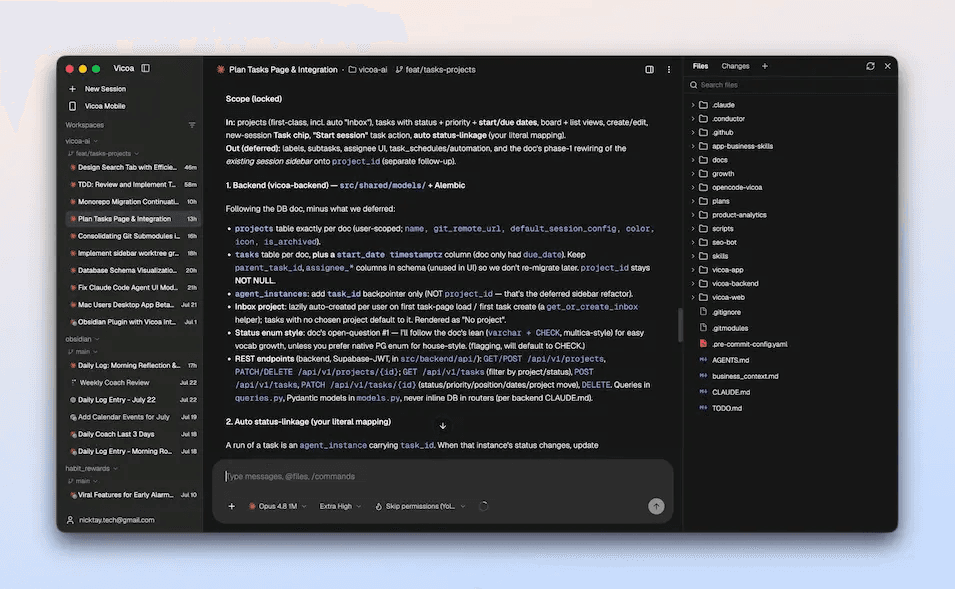
Once it starts, it scans for coding agents you already have installed and connects them — no npm i -g @vicoa/cli, no T-Ex LLM daemon, no pairing code.
What you can do
- Run multiple AI agents in parallel
- Browse your files alongside your agents
- See which files each agent created or changed
- Manage Git worktrees
- and more are coming...
Signing in registers the machine against the same account your phone uses, so your phone sees the same machines and the same sessions. The app auto-updates.
Get started
- [Download T-Ex LLM for Mac](https://T-Ex LLM.texllm.com/download) — Apple Silicon and Intel builds are both available
- Install it and sign in
- Start a session
The Mac app is in beta today. Windows and Linux are coming.
Let us know what you think.
We read every message!